Lighthouse vs WP Rocket
WP Rocket caches pages. FlyingPress does the same job. Lighthouse does not.
I keep getting asked which one to install, usually after someone has “optimised” a site and it is still slow. The cache is doing what a cache does. The page is still shipping a pile of WordPress that nobody asked for.
The cache
A caching plugin saves the HTML and serves it again. Fine. That HTML still includes the stuff WordPress adds on its own:
- emoji scripts
- embeds and oEmbed
- the shortlink
- dashicons and block CSS on the front end
- Heartbeat, on pages that have no use for it
Minifying that does not remove it. WP Rocket is good at minifying, lazy-loading and preloading. It is a cache. I have nothing against it, and Lighthouse runs next to it. Same for FlyingPress. Same for Cloudflare, which is the cache on most of the sites I look after.
What Lighthouse turns off and on
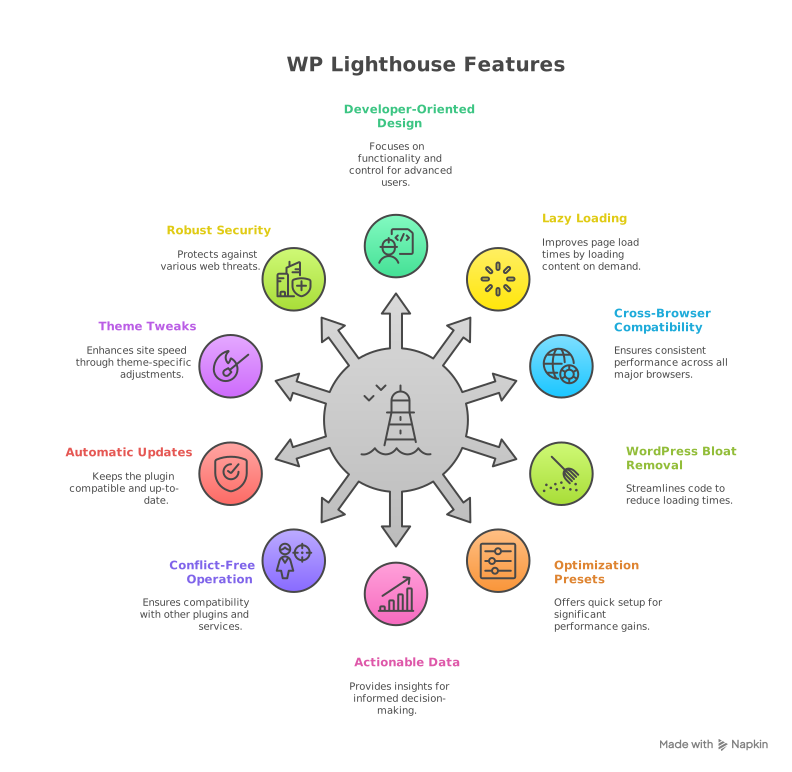
- It strips the core bloat above. There are presets, so you don’t tick 40 boxes on a Tuesday.
- Object cache is SQLite, which PHP already ships. No Redis and no Memcached. That is the right tool for one site on one server. If the site is spread across several servers, you want Redis, and the product page says so.
- SpeedFactor requests the site once a day and stores connection time, redirects and TTFB. A chart, not a score. Useful the week after a plugin update.
- Login: a few wrong passwords and that IP waits. User enumeration is blocked. XML-RPC is off. That is the junk that actually shows up in the logs, a script trying
admin. It is not a malware scanner.
Volt, the screen for several sites, is included. €39 a year. Regular is one site at a time, Extended is for several client sites at once. Updates keep coming after the year is up. Support is for the year you paid for.
So which one
If the host has no cache and you want one plugin that writes static HTML, use WP Rocket or FlyingPress.
If Cloudflare or the host already caches, you don’t need a second cache.
If the site is slow because WordPress is doing work it doesn’t need to do, or because you can’t see whether Tuesday’s deploy made TTFB worse, that’s Lighthouse. A lot of the sites I look after end up with Lighthouse and no caching plugin. Some keep both. Either is fine.
I would not add W3 Total Cache, WP-Optimize or Autoptimize on top of any of this. Three plugins fighting over the same CSS file is how a fast site gets slow again.
For those looking to not only make their WordPress site faster but also more secure and to gain profound insights into its performance, Lighthouse offers an unparalleled combination of features and capabilities. It’s an investment in a truly optimized and protected online presence.