When you think of a WordPress gallery plugin, you likely think of tools like NextGEN Gallery or Modula. These are excellent for a site owner who wants to showcase their own photography or portfolio work. But what if your goal is different? What if you want to build a community — a platform where your users can upload, manage, and share their own images? Standard gallery plugins were not designed for that, and the gap shows immediately once you try.
This is where ImagePress – WordPress Image Gallery Plugin steps in. It is not just a gallery plugin; it is a full-featured, modular, multi-user image community platform that turns your WordPress site into something closer to ArtStation, Behance, or a niche social network — built on infrastructure you own and control entirely.
The limitation of standard gallery plugins
NextGEN Gallery, Modula, FooGallery, and Envira Gallery are all built around the same assumption: one administrator controls all the content. Images are uploaded by the site owner, organised by the site owner, and displayed to passive visitors. This is perfectly appropriate for a photographer’s portfolio or a business showcasing its projects.
But this model breaks down the moment you need users to be active participants. None of these plugins offer front-end user profiles, user-managed image collections, front-end upload interfaces, or community features like following, liking, or organising user-submitted work. Attempting to bolt this functionality on top of them means cobbling together multiple plugins that were never designed to work together — a maintenance burden that grows over time.
If your vision involves user-generated content, ImagePress is the only purpose-built WordPress solution for it.
ImagePress feature breakdown
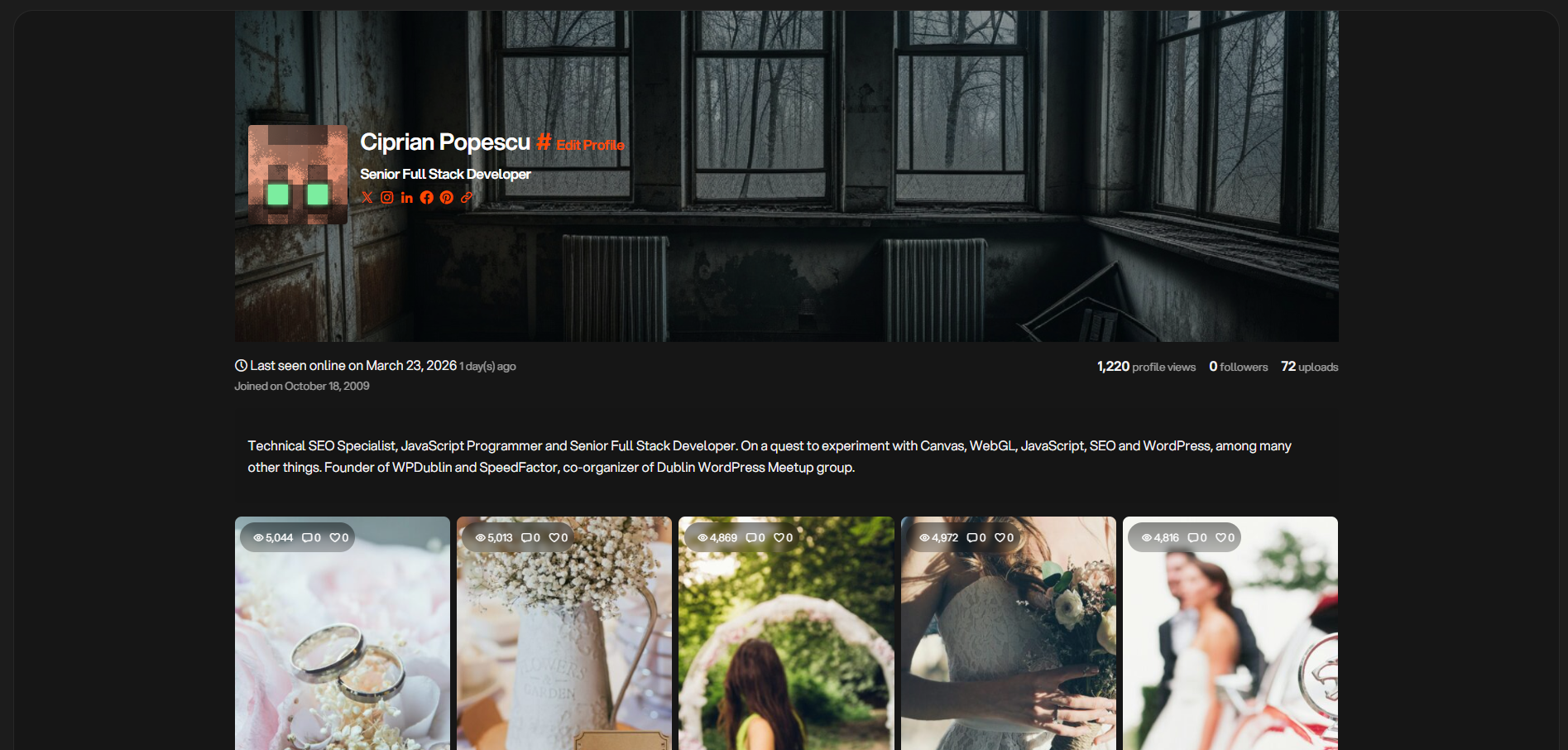
Multi-user profiles and portfolios
ImagePress automatically generates a dedicated profile and portfolio page for every registered user on your site. Each member gets their own space to display their work, complete with a user card that shows their avatar, bio, and upload statistics. Visitors can browse individual user portfolios without needing to navigate through site-wide galleries.
This is the core feature that separates ImagePress from every other gallery plugin on the market. It is not an afterthought or an add-on — it is the foundation the entire plugin is built around.
Front-end image upload and management
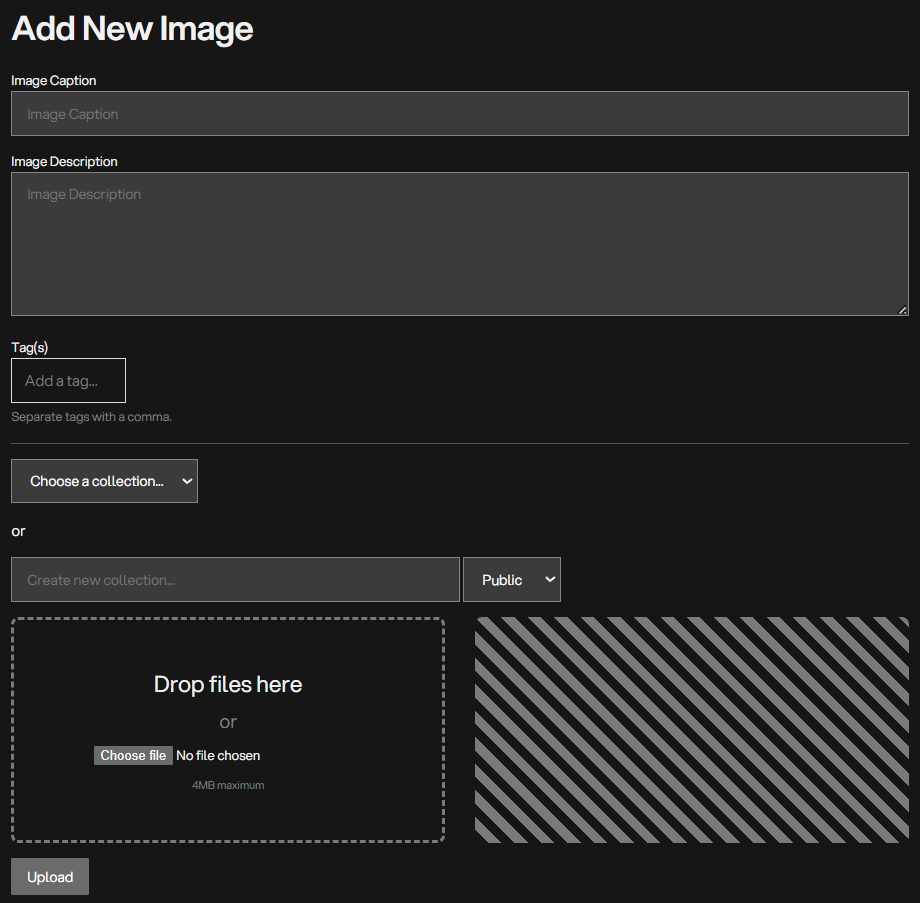
Users never need to touch the WordPress dashboard. ImagePress provides complete front-end forms for uploading images, writing titles and descriptions, adding tags, selecting categories, and setting visibility (public or private). Users can edit and delete their own images from the front end at any time.
This front-end management layer is what makes ImagePress suitable for non-technical communities. Your members do not need to know what the WordPress media library is — they just use the upload form the same way they would on any other platform.
Collections
Users can organise their images into public or private collections — similar to albums on Flickr or boards on Pinterest. Collections give users control over how their work is presented and discovered, and they give site owners a natural content structure without requiring any administrative effort.
Image variants and progress shots
This is a feature you will not find in any other WordPress gallery plugin. ImagePress supports image variants — multiple versions of the same image (different resolutions, colour variants, crops) — and progress shots, a sequence of images that show the evolution of a piece of work from initial sketch to finished piece.
Progress shots in particular are a feature beloved by the digital art and design community. Platforms like ArtStation and Behance have popularised the concept, and it is a strong reason for artists and designers to choose an ImagePress-powered community over a generic gallery site.
Front-end authentication
ImagePress ships with its own front-end login, registration, and password recovery forms. Your community members never need to see the WordPress login page. Combined with the front-end upload and management tools, this makes ImagePress a genuinely standalone community platform — your users interact entirely through the public-facing site.
Customisation and branding
ImagePress is highly customisable. Colours, fonts, layout dimensions, and template structures can all be adjusted to match your brand identity. It is designed to integrate seamlessly with both classic/hybrid themes and block themes, and it ships with well-structured template files that developers can override without modifying plugin code.
Getting started with ImagePress
Setup is straightforward and takes under ten minutes for a basic installation:
- Install and activate — purchase ImagePress from getbutterfly.com, download the ZIP file, and install it via Plugins > Add New > Upload Plugin.
- Create the required pages — ImagePress will prompt you to create dedicated pages for the gallery, user profiles, upload form, and login/registration. These can be created automatically from the plugin settings.
- Configure user permissions — decide which user roles can upload images, whether uploads require admin approval before going public, and what file types and sizes are permitted.
- Set your display options — choose grid layout, image dimensions, lightbox behaviour, and sorting options from the ImagePress settings panel.
- Customise the appearance — adjust colours and fonts to match your theme, or leave the defaults which are clean and minimal.
ImagePress is the right choice when user-generated content and community are central to your site’s purpose. Here are the use cases it is built for:
Who is ImagePress for?
- Digital art and design communities. Artists can upload work, document their process with progress shots, and build a portfolio that lives on your platform rather than a third-party service.
- Photography communities. Camera clubs, photo challenge sites, and niche photography communities can give each member their own portfolio space with collections organised by theme or date.
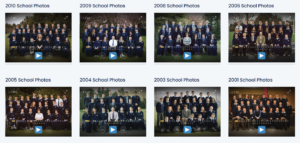
- School and university galleries. Educational institutions can run student portfolio platforms where each student manages their own submitted work through a simple front-end interface.
- Real estate and property listings. Agents or property owners can upload and manage their own listing images without needing admin access.
- Fan art and creative community sites. Niche fandoms and creative groups can build a dedicated image-sharing platform tailored to their community rather than relying on general-purpose social media.
- Stock photo and asset submission platforms. Sites that collect user-submitted stock images, icons, or design assets can use ImagePress as the submission and display layer.
ImagePress vs. the alternatives: full comparison
Here is how ImagePress compares to the most popular WordPress gallery plugins across the features that matter for community-focused sites:
| Feature | ImagePress | NextGEN Gallery | Modula | FooGallery | Envira Gallery |
|---|---|---|---|---|---|
| Primary goal | Multi-user UGC community | Admin portfolio/gallery | Admin portfolio/gallery | Admin portfolio/gallery | Admin portfolio/gallery |
| Front-end user upload | ✅ Built-in | ❌ | ❌ | ❌ | ❌ |
| User profiles & portfolios | ✅ Automatic per user | ❌ | ❌ | ❌ | ❌ |
| User-managed collections | ✅ Public & private | ❌ | ❌ | ❌ | ❌ |
| Image variants | ✅ | ❌ | ❌ | ❌ | ❌ |
| Progress shots | ✅ | ❌ | ❌ | ❌ | ❌ |
| Front-end login/registration | ✅ Built-in | ❌ | ❌ | ❌ | ❌ |
| Lightbox & layout options | ✅ | ✅ Extensive | ✅ Extensive | ✅ Good | ✅ Good |
| Developer-friendly | ✅ Template overrides | ✅ | ⚠️ Limited | ✅ | ⚠️ Limited |
| Pricing (entry) | €34/year | Free + paid add-ons | Free + paid tiers | Free + paid tiers | Free + paid tiers |
Who should NOT use ImagePress
ImagePress is purpose-built for community and UGC. If that is not your use case, one of the alternatives will serve you better:
- You just need a portfolio gallery for your own work. If you are a photographer or designer who wants to showcase your own images with beautiful lightboxes and layouts, NextGEN Gallery or Modula will give you more display options and a simpler setup.
- You need deep WooCommerce integration for product galleries. FooGallery has strong WooCommerce hooks and is the better choice if your galleries are tied directly to a shop.
- Your site has very few images and no community component. The block editor’s built-in Gallery block or a lightweight free plugin is sufficient for simple use cases — you do not need ImagePress’s feature set.
Pricing
ImagePress is available at two price points:
- Annual licence — €34/year. Includes all updates and support for one site. Renew annually to keep updates and access to new features.
- Lifetime licence — €136 (one-time). All future updates and support included. Best value for sites you plan to run long-term.
Both licences cover a single site. Compared to the cost of building a multi-user image community from scratch — or paying for a SaaS platform where you do not own your data — either option represents strong value.
Build a platform, not just a gallery
If your vision is a vibrant, user-driven community built around images — whether that is digital art, photography, student portfolios, or a niche creative network — ImagePress is the only WordPress plugin that addresses this use case directly. It provides everything you need to give users their own space, manage their own content, and engage with a community, without the complexity and ongoing cost of custom development or third-party SaaS platforms.
You own your platform. You own your data. And you get a plugin that was built specifically for this problem, maintained by developers who use it themselves.
Start building your community with ImagePress →