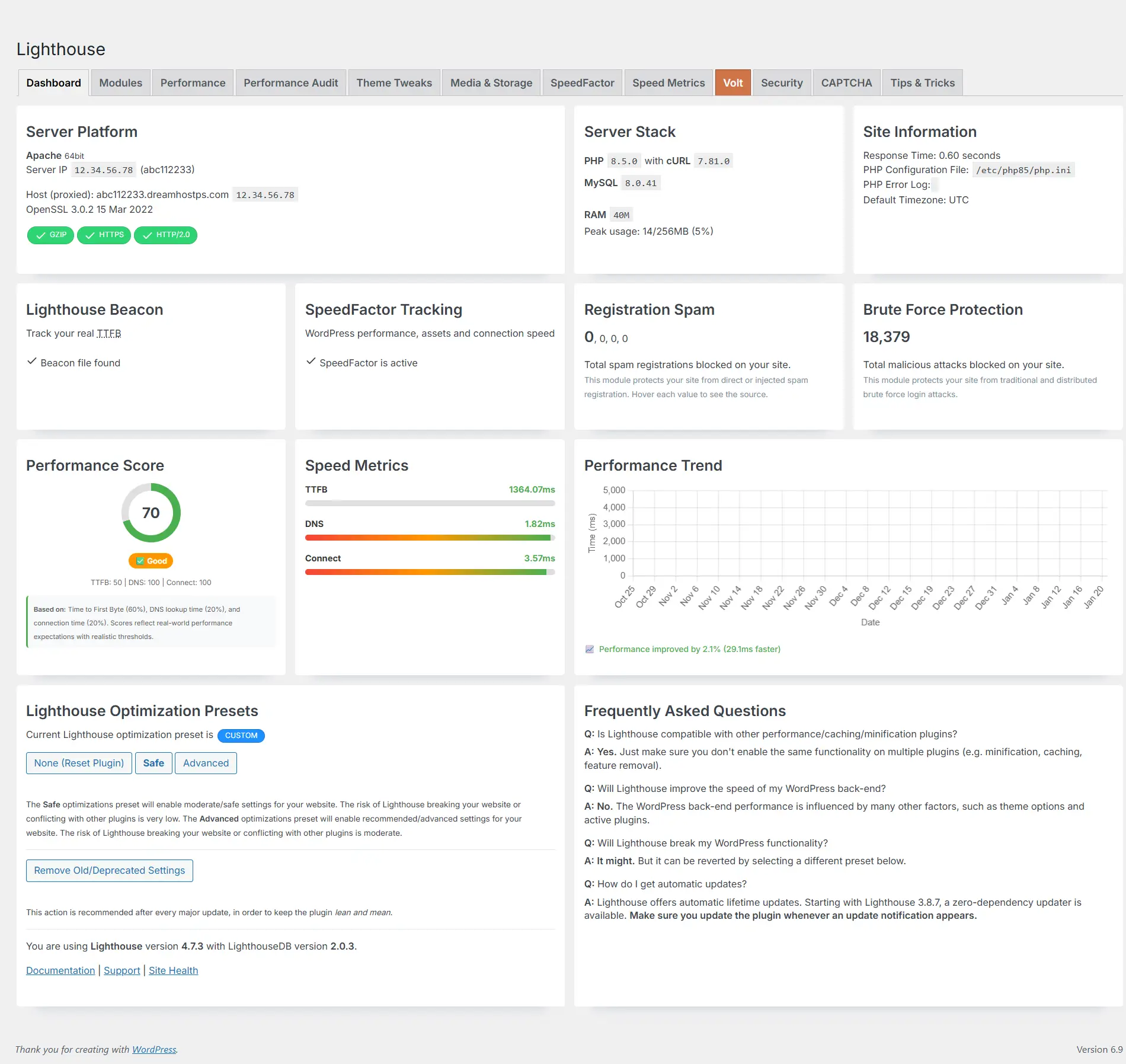
Lighthouse is a performance tuning plugin that removes default WordPress behaviours, optimizes your site’s speed, and provides comprehensive monitoring tools. Learn more at getButterfly.com.
Since version 4.7, the Lighthouse WordPress performance plugin has received significant updates that make it faster, more compatible with modern hosting environments, and easier to use. Whether you’re managing a single website or multiple sites, these improvements help you maintain optimal performance with less effort.
What’s New in Lighthouse 4.7
Cloudflare Detection Made Easy
One of the standout features in version 4.7.3 is the Cloudflare detection indicator. When you’re managing multiple WordPress sites, it’s not always immediately clear which sites are using Cloudflare’s CDN (Content Delivery Network) for enhanced performance and security.
Lighthouse now automatically detects when a site is using Cloudflare and displays a distinctive orange cloud icon in your Websites table. This visual indicator appears right below the site’s performance metrics, making it instantly clear which of your sites are protected by Cloudflare’s infrastructure.
Why this matters: Cloudflare provides additional layers of security and performance optimization. Knowing which sites use it helps you understand your overall security posture and make informed decisions about site management.
Future-Proof PHP Compatibility
Version 4.7.3 also brings full compatibility with PHP 8.5, the latest version of PHP. This update removes deprecated code that would cause warnings or errors in newer PHP environments, ensuring your site continues to run smoothly as hosting providers upgrade their servers.
What this means for you: You won’t need to worry about compatibility issues when your hosting provider updates their PHP version. Lighthouse is ready for the future of web hosting.
Improved User Interface
The latest updates include several user interface improvements that make managing your WordPress sites more intuitive:
- Better Visual Hierarchy: Updated button styling with icons makes it easier to identify actions at a glance
- Clearer Progress Indicators: Enhanced progress bars provide better feedback during bulk operations
- Streamlined Settings: Removed unnecessary interface elements to reduce clutter and focus on what matters
Enhanced Error Reporting
When performing bulk updates across multiple sites, you now get detailed error messages that help you quickly identify and fix issues. Instead of generic “update failed” messages, you’ll see specific information like:
- Which site had the problem
- What type of error occurred (missing plugin, connection issue, etc.)
- Helpful suggestions for resolving the issue
This saves time troubleshooting and makes it easier to keep all your sites up to date.
Performance Improvements
While these updates may seem small individually, they add up to a faster, more efficient plugin that uses fewer server resources. This means:
- Faster page loads in your WordPress admin area
- Reduced server load when managing multiple sites
- Better responsiveness during bulk operations
Who Benefits from These Updates?
Website Owners
If you manage your own WordPress site, these updates make Lighthouse easier to use and more reliable. The improved error messages help you understand what’s happening, and the PHP 8.5 compatibility ensures your site will continue working as hosting environments evolve.
Small Business Owners
For businesses managing a few WordPress sites, the Cloudflare detection feature provides valuable insight into your security setup. The enhanced error reporting saves time when maintaining multiple sites.
Content Creators and Bloggers
The streamlined interface and better compatibility mean less time dealing with technical issues and more time creating content. The plugin works seamlessly in the background, optimizing your site’s performance without requiring technical expertise.
Looking Forward
These updates represent Lighthouse’s commitment to staying current with modern web technologies while maintaining ease of use. The plugin continues to evolve based on real-world usage and feedback from the WordPress community.
Whether you’re optimizing a single site or managing multiple WordPress installations, Lighthouse 4.7 provides the tools you need to maintain peak performance with minimal effort.
Getting Started
If you’re already using Lighthouse, these improvements are automatically available when you update to version 4.7.3 or later. If you’re new to Lighthouse, these features make it an even better choice for WordPress performance optimization.
The plugin remains focused on its core mission: removing unnecessary WordPress bloat, optimizing performance, and providing the tools you need to keep your sites running fast and secure.