
Active Analytics – Lightweight, Privacy-First WordPress Analytics Plugin
Active Analytics is a lightweight, privacy-first WordPress analytics plugin that shows you what actually matters — real-time activity, most-visited pages, referrers, and day-to-day or month-to-month users and pageviews — directly inside your WordPress dashboard.
No tracking code.
No external services.
No third-party cookies.
All analytics data is stored locally on your own server.

📈
Simple analytics, built for WordPress
Active Analytics gives you clear, actionable website statistics without the complexity, tracking bloat, or privacy concerns of tools like Google Analytics 4.
- Plug-and-play, no setup required
- Fully GDPR, CCPA and PECR compliant
- First-party, cookieless tracking
- Designed for performance and low overhead
📊
Key Active Analytics features
- Tracks users, pageviews, devices (desktop vs mobile), referrers, and events
- Real-time analytics dashboard with live pageviews and referrers
- Works across all modern browsers and devices
- Asynchronous, non-blocking JavaScript tracking
- Compatible with caching, performance plugins, and Cloudflare
- Configurable data retention controls
- One-click installation, no configuration required
Built to be fast, reliable, and unobtrusive.
👤
Collect and store first-party analytics data
Active Analytics uses cookieless, first-party tracking that works even when browsers or ad-blockers restrict traditional analytics tools.
This allows you to:
- Measure real user activity accurately
- Build trust with your visitors
- Avoid regulatory risks and consent fatigue
- Maintain full control over your analytics data
No consent banners required for basic analytics use cases.
🛡️
Privacy-enhanced WordPress analytics
Active Analytics is built for privacy-conscious site owners.
- No cookies
- No third-party requests
- No data sharing
- No external dashboards
All analytics data is collected as first-party data and stored locally on your own web host.
Made in the EU and designed to comply with GDPR, CCPA and PECR out of the box.
Your visitors stay anonymous.
Your data stays yours.

Collect & store first-party data
Cookieless collection of first-party data, even through blocked browsers or add-ons, whilst still being legally compliant. Build trust with your users & avoid regulatory fines.

Safeguard your users’ privacy
Protect your users from Big Tech privacy abuse & avoid legal risks of sharing data. Ensure compliance with global data protection regulations.
Active Analytics Image Gallery
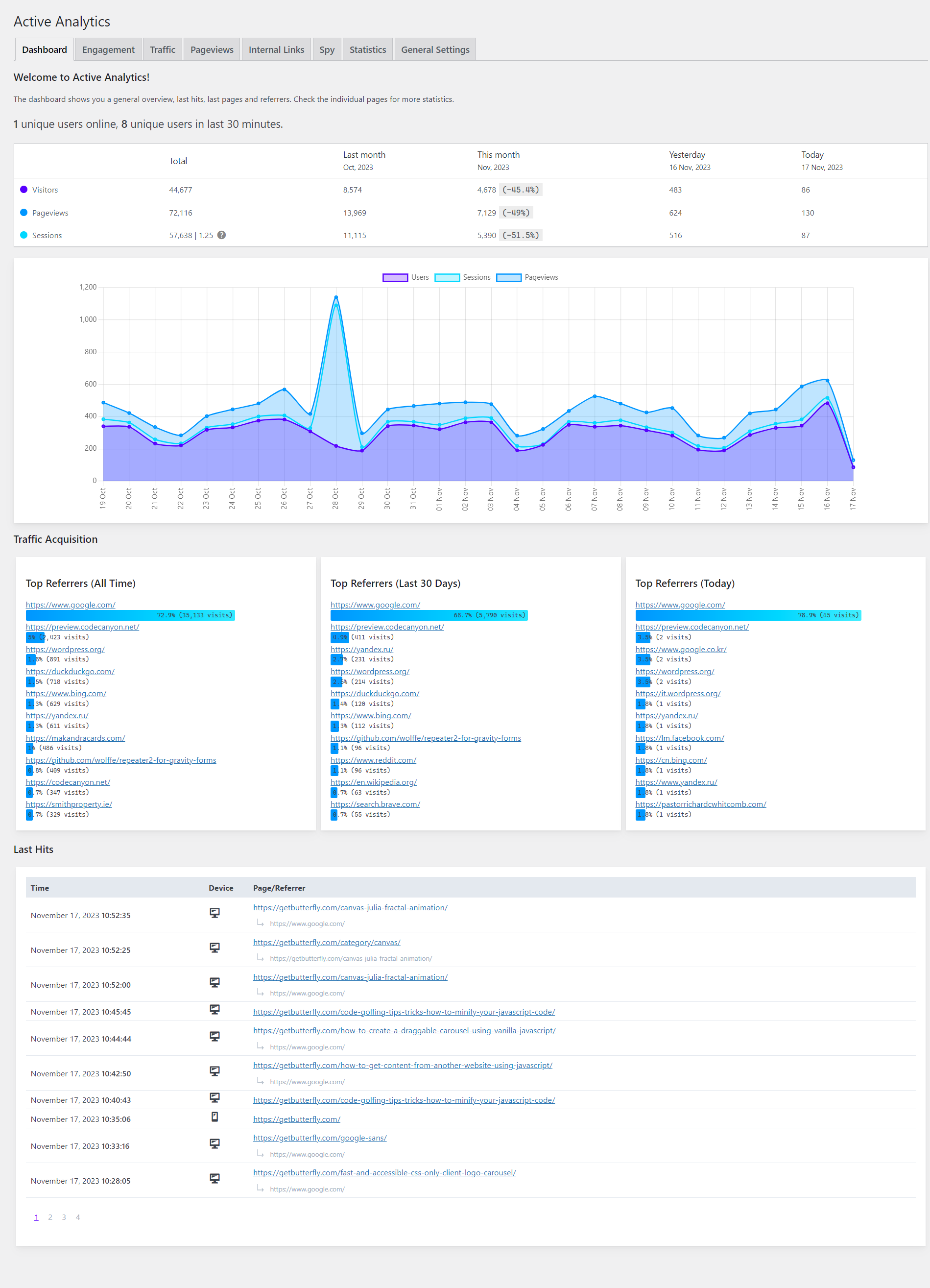
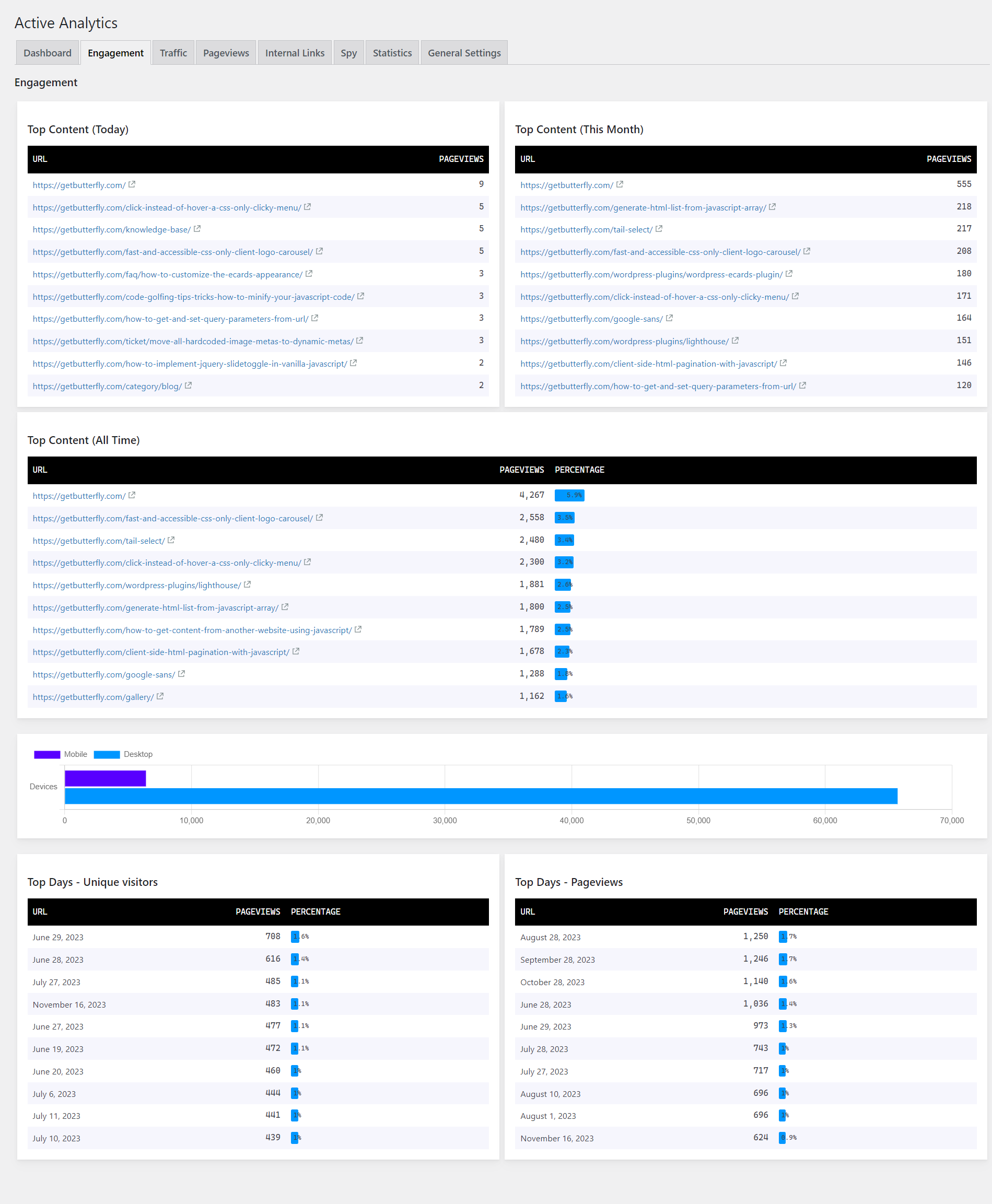
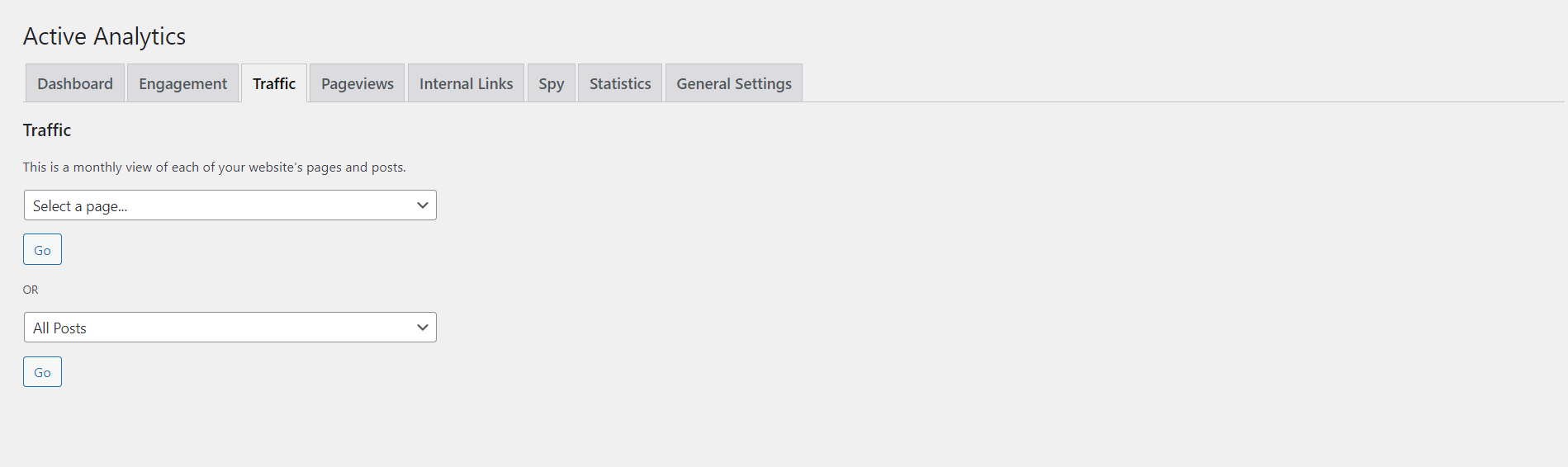
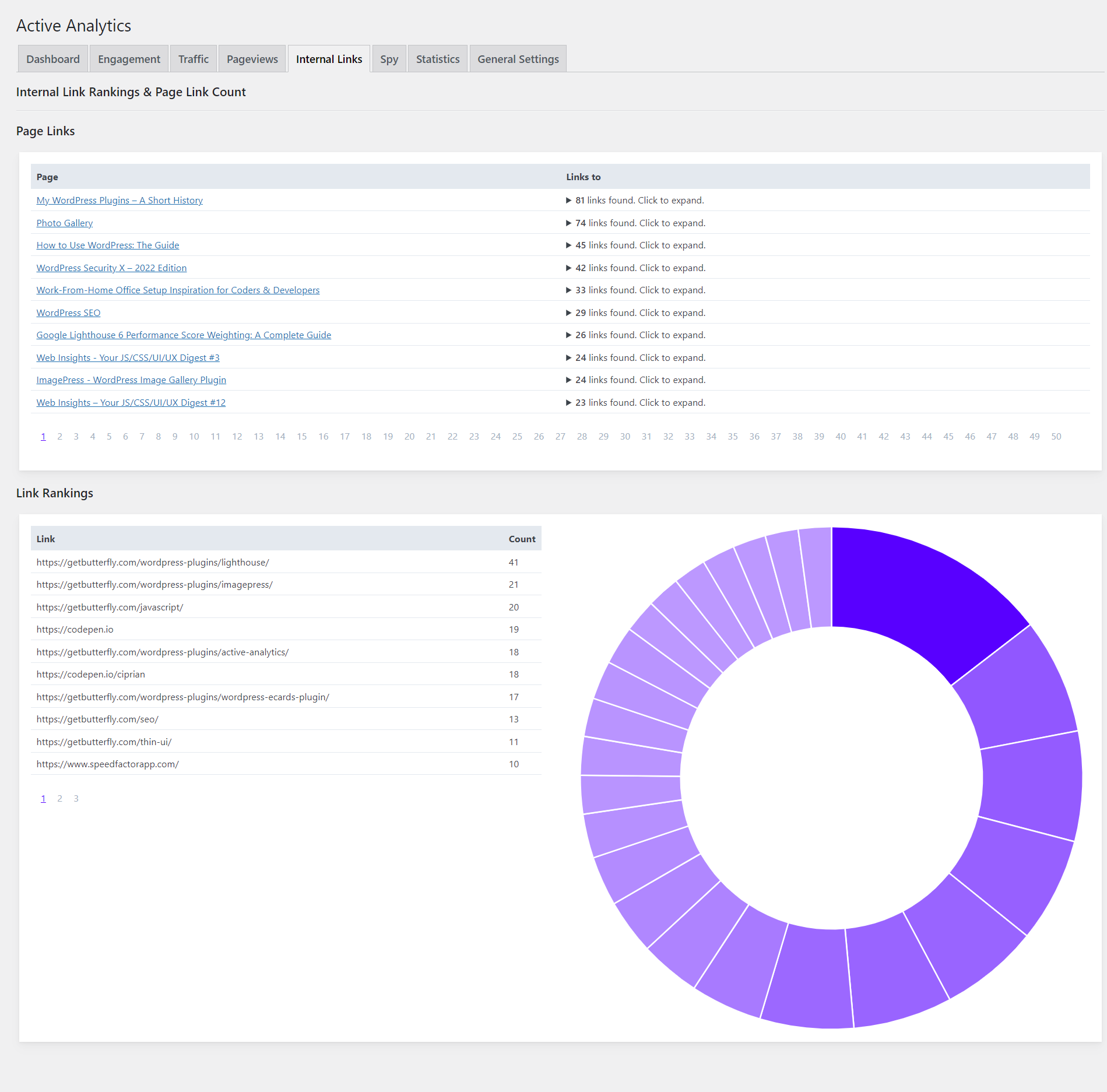
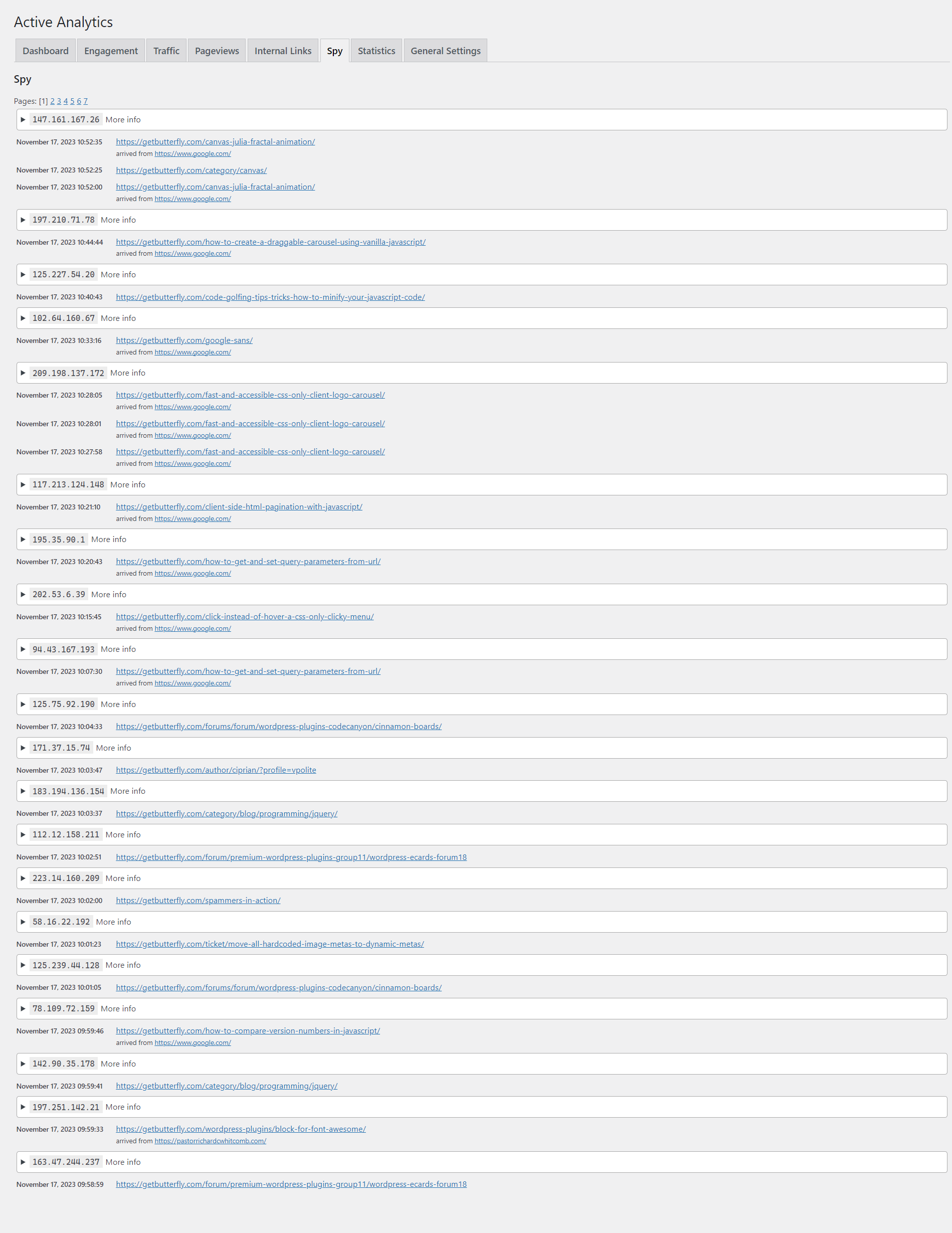
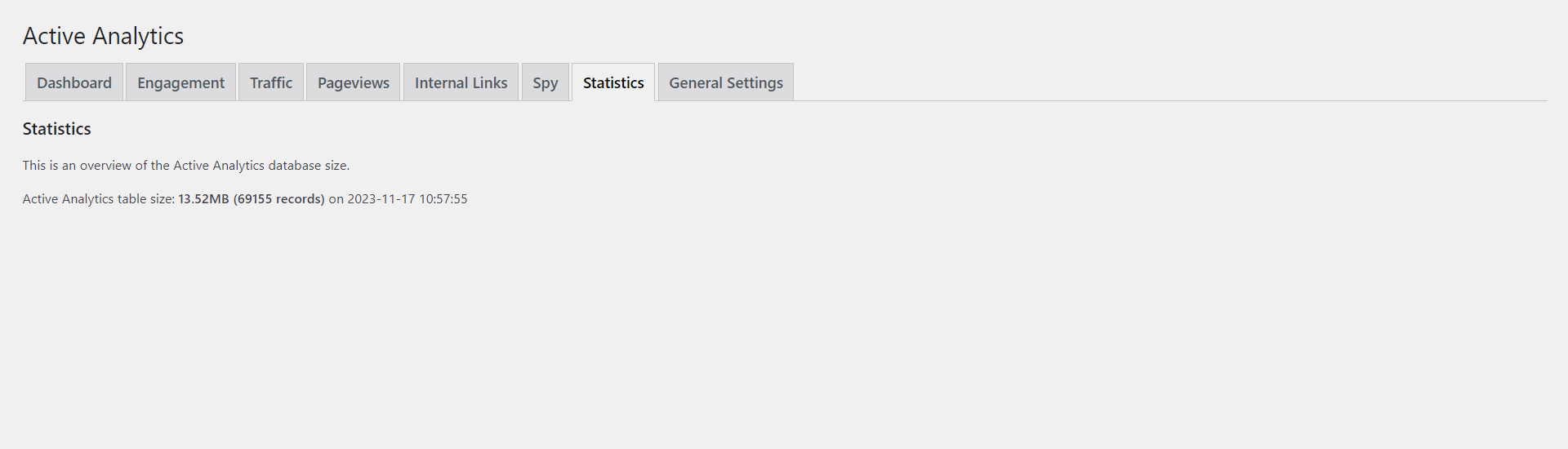
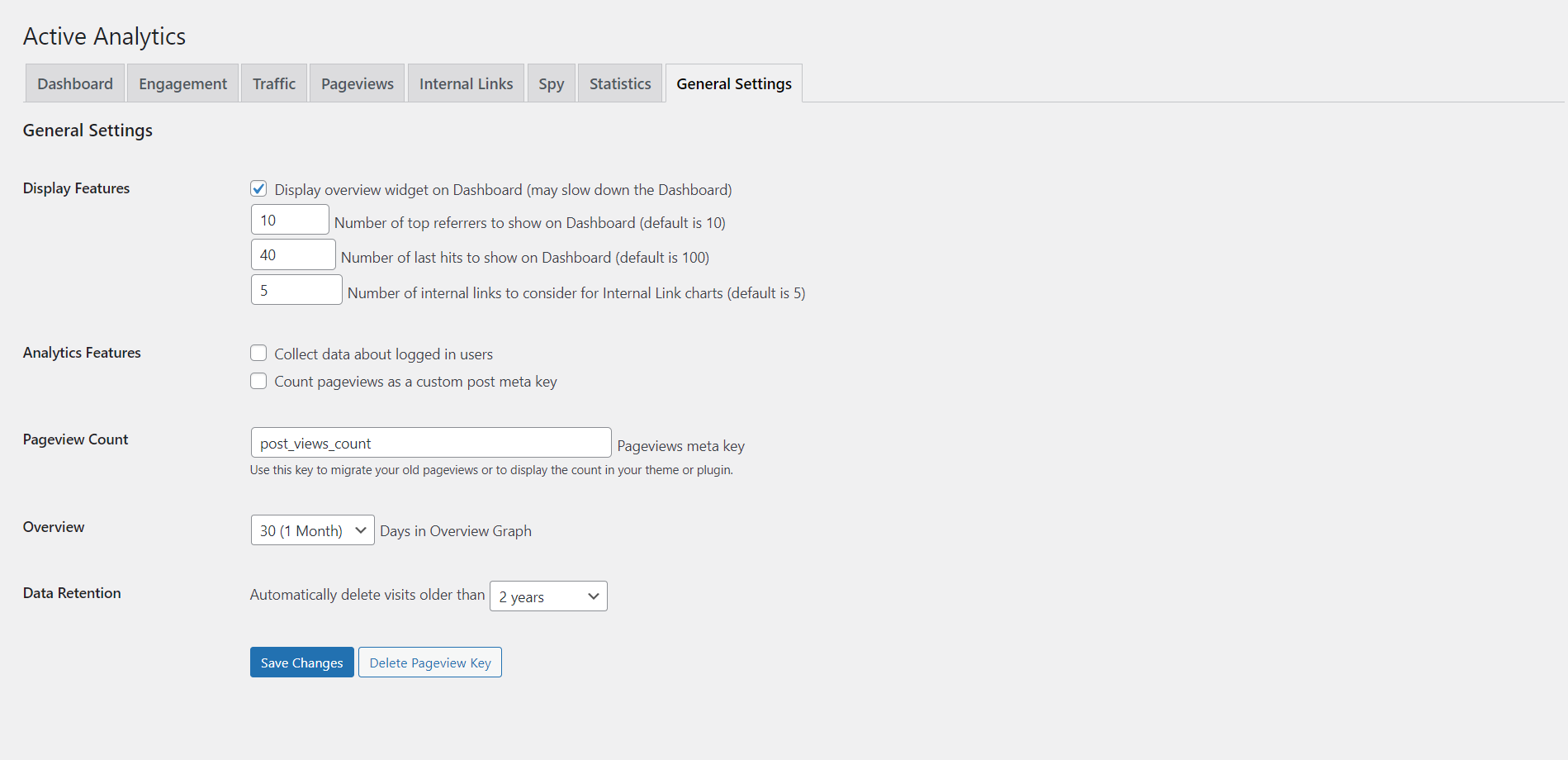
A lightweight analytics plugin for WordPress & WooCommerce
Active Analytics tracks the full user journey using first-party data, making it suitable for both content-driven sites and WooCommerce stores.
- Accurate pageview and referrer tracking
- User journey merging
- Ad-blocker resistant analytics
- No impact on front-end performance
Everything runs inside WordPress, with no external dependencies.
Why Active Analytics instead of Google Analytics 4?
Google Analytics 4 is powerful, but for most WordPress site owners it is unnecessarily complex.
GA4:
- Requires training and custom reports
- Collects excessive data you don’t need
- Relies on external tracking and data sharing
- Makes simple insights hard to find
Active Analytics focuses on clarity.
You see:
- What pages are being visited
- Where users come from
- How traffic changes day-to-day and month-to-month
All at a glance, inside your WordPress dashboard — no menus, no reports, no learning curve.
Analytics without the noise
Active Analytics is built for developers, site owners, and agencies who want fast, privacy-respecting WordPress analytics without sacrificing insight or performance.
If you value simplicity, privacy, and ownership of your data, Active Analytics is the right analytics plugin for your WordPress site.
FAQ – Active Analytics WordPress Plugin
What is Active Analytics?
Active Analytics is a lightweight, privacy-first WordPress analytics plugin that tracks users, pageviews, referrers, and real-time activity using first-party, cookieless data stored locally on your server.
Is Active Analytics GDPR compliant?
Yes. Active Analytics does not use cookies, does not share data with third parties, and stores all analytics data locally, making it compliant with GDPR, CCPA, and PECR for standard analytics use cases.
Does Active Analytics use cookies?
No. Active Analytics uses cookieless, first-party tracking and does not rely on third-party cookies or external services.
Is Active Analytics a replacement for Google Analytics 4?
For most WordPress sites, yes. Active Analytics provides clear, actionable website statistics without the complexity, data overload, or privacy concerns of Google Analytics 4.
Does Active Analytics work with ad blockers?
Yes. Because Active Analytics uses first-party tracking and does not load third-party scripts, it remains effective even when ad blockers or privacy-focused browsers are enabled.
Where is the analytics data stored?
All analytics data is stored locally on your own WordPress installation and database. No data is sent to external servers.
Does Active Analytics affect website performance?
No. Active Analytics is built for performance and uses asynchronous, non-blocking JavaScript that does not slow down page loads.
Does Active Analytics work with caching and performance plugins?
Yes. Active Analytics is fully compatible with caching plugins, performance optimisation plugins, and services like Cloudflare.
Can I use Active Analytics with WooCommerce?
Yes. Active Analytics works with WooCommerce and allows you to track user journeys and pageviews across your store without third-party tracking.
Is Active Analytics suitable for agencies and developers?
Yes. Active Analytics is designed for developers, agencies, and site owners who need simple, privacy-respecting analytics without ongoing setup or maintenance.
Where can I read more about how Active Analytics works, compared to other similar solutions?
- How to Track WordPress Visitors Without a Cookie Banner (GDPR Compliant)
- How to Read Your Active Analytics Dashboard: A Plain-English Guide
- Cookieless Analytics for WooCommerce: Track Sales Without Third-Party Data
- GDPR-Compliant WordPress Analytics: What You Can (and Can’t) Collect
- How Active Analytics Compares to Plausible, Fathom, and Simple Analytics
- Active Analytics vs Matomo: Which Privacy-First Analytics Is Right for WordPress?
- Active Analytics vs Google Analytics 4: Which Is Right for Your WordPress Site?
- Event Tracking, Email Reports, and Content Insights in Active Analytics
- How to Use the Active Analytics Content Report to Find Your Best WordPress Pages
- How Active Analytics Stores Data Without Slowing Down Your WordPress Database
- Tracking pageviews, sessions and unique users in WordPress using Active Analytics
- Why Most WordPress Analytics Plugins Get Slow (And How Active Analytics Was Built Differently)
Changelog
View Changelog
= 3.1.5 =
* Added on-demand Empty now buttons for pageviews, events, AI crawls and search tables
* Fixed table record counts on General Settings (use actual row counts instead of InnoDB estimates)

= 3.1.4 =
* Tested with WordPress 7.1
* Added WordPress Plugins and donation links to the plugin documentation

= 3.1.3 =
* UPDATE: Improve AI analysis and reports
* UPDATE: Improve reports UX

= 3.1.2 =
* FEATURE: Add AI bot tracking

= 3.1.1 =
* FIX: Properly clean up on uninstall
* FIX: Include all tables (events and search) in the specified retention period
* PERFORMANCE: Add check for null values
* PERFORMANCE: Clean up old code, remove dead code, update SQL queries for performance

= 3.0.1 =
* UPDATE: Add expandable details to Internal Links table (click on link counts to see which pages link to each page)

= 3.0.0 =
* FIX: Fix PHP 8.0+ compatibility: replace `unserialize()` with `maybe_unserialize()` for security
* FIX: Fix PHP 8.0+ compatibility: add null safety checks for array access
* FIX: Fix string comparison: use strict comparison (`===`) with null coalescing operator
* FIX: Fix potential null reference errors in user data retrieval
* SECURITY: Improve output escaping: add `esc_html()` to all user-facing output
* PERFORMANCE: Optimize loops: replace `for` loops with `foreach` for better performance
* PERFORMANCE: Clean up and optimized bot detection logic for better performance and accuracy
* UPDATE: Update WordPress compatibility to 6.9
* UPDATE: Update PHP requirement to 8.0 (minimum)
* UPDATE: Remove Inter font dependency (use system fonts instead)
* UPDATE: Add brand color mapping for each channel in the Channel Performance chart for improved visual clarity
* UPDATE: Change legend rectangles to solid squares for all charts for a more modern look
* UPDATE: Update channel detection logic: add Telegram, WhatsApp, YouTube, Discord, Mastodon, Threads, Quora, and Medium
* UPDATE: Rename "Twitter/X" channel to "X" throughout the plugin
* UPDATE: Increase the height of the Channel Performance chart by 100px to better fit the legend
* UPDATE: Improve CSS/JS handling for chart height (now set via CSS for consistency)
* UPDATE: Minor bug fixes and code formatting improvements

= 2.9.3 =
* UPDATE: Make the settings page a top-level page
* UPDATE: Add documentation for events
* UPDATE: Remove event chart by type

= 2.9.2 =
* FIX: Fix issue with missing required file
* UPDATE: Improve events reporting

= 2.9.0 =
* FEATURE: Add events
* FEATURE: Add real-time statistics to the Dashboard
* FEATURE: Add email reports
* UPDATE: Clean up and reorganize the Dashboard

= 2.8.1 =
* FIX: Fix PHP 8+ ValueError when max() is called on empty array in internal links analysis chart

= 2.8.0 =
* FIX: Fix wrong order of monthly overview
* FEATURE: Add new Content analysis section
* UPDATE: Update ChartJS to latest version (4.5.0)
* UPDATE: Improve typography

= 2.7.3 =
* FIX: Add proper installation and uninstallation routine (all data is properly set up on installation and removed on uninstallation)
* UPDATE: Add better contextual help for pageviews when not being enabled and collecte
* UPDATE: Refactor the internal links report
* UPDATE: Refactor the plugin settings and statistics

= 2.7.2 =
* SECURITY: Prepare all search analytics queries
* UPDATE: Improve speed of the dashboard chart, showcasing unique visitors, pageviews and sessions

= 2.7.1 =
* FEATURE: Add acquisition channel charts

= 2.7.0 =
* FIX: Fix IP detection
* UPDATE: Update all charts to use the latest (local) version of ChartJS
* UPDATE: Refactor the search analytics report
* UPDATE: Remove the auto-update feature

= 2.6.1 =
* FEATURE: Add option to enable the Spy feature (disabled by default)
* UPDATE: Improve script loading speed
* UPDATE: Sanitize and escape all output
* UPDATE: Update WordPress compatibility

= 2.5.9 =
* FEATURE: Add new content browser instead of multiple <select> dropdowns
* UPDATE: Update WordPress compatibility

= 2.5.8 =
* FEATURE: Add automatic background updater

= 2.5.7 =
* FIX: Fix AJAX variable naming conflict

= 2.5.6 =
* FIX: Better format numbers for search analytics
* FEATURE: Add daily view to Traffic statistics (in addition to monthly view)
* PERFORMANCE: Remove the User Agent and device logging as it's not accurate and not relevant

= 2.5.4 =
* FEATURE: Add chart zooming
* PERFORMANCE: Improve page performance on the Dashboard charts

= 2.5.3 =
* FEATURE: Add search statistics (BETA)

= 2.5.2 =
* FEATURE: Add option to use a CDN version of ChartJS
* FEATURE: Add monthly overview
* UPDATE: Improve chart design
* PERFORMANCE: Remove Cascadia Code custom font
* PERFORMANCE: Remove system font from charts and allow ChartJS to control the fonts

= 2.5.1 =
* UPDATE: Updated WordPress compatibility

= 2.5.0 =
* FIX: Fix duplicate changelog entry
* FIX: Fix Thin UI reset style interfering with plugin elements
* FEATURE: Add new Internal Links report
* PERFORMANCE: Only load ChartJS on the traffic report page
* PERFORMANCE: Improve ChartJS loading
* UI: Improve all tables and graphs

= 2.4.9 =
* UPDATE: Expanded data retention to 2 years
* PERFORMANCE: Changed more column types to optimize data storage
* PERFORMANCE: Removed custom font family from WordPress Dashboard
* UI: Tweaked border radius for the dashboard widget
* UI: Updated Thin UI library to latest version (2.1.1)

= 2.4.8 =
* UPDATE: Updated ChartJS to latest version (4.3.2)
* UPDATE: Updated Thin UI to latest version (2.1.0)
* UPDATE: Updated WordPress compatibility

= 2.4.7 =
* FIX: Fixed issue with slow session query
* UPDATE: Check if post views are enabled before incrementing the counter
* UPDATE: Added option to enable or disable post views counter as a meta key

= 2.4.6 =
* FIX: Fixed wrong dependency name for the wpaa-charts.js script
* FIX: Fixed z-indexing for sessions vs pageviews
* FIX: Fixed percentage growth UI
* UPDATE: Updated ChartJS library to latest version (4.3.0)
* UPDATE: Improved appearance of charts
* UPDATE: Remove deprecated trendline plugin for ChartJS

= 2.4.5 =
* UPDATE: Updated Thin UI to latest version (2.0.2)
* UPDATE: Updated ChartJS to latest version (4.2.1) and remove old versions
* UPDATE: Updated WordPress compatibility

= 2.4.4 =
* UPDATE: Updated ChartJS library to latest version (4.0.1 to 4.2.1)
* UPDATE: Removed target statistics
* UPDATE: Refactored plugin updater
* UPDATE: Updated Dashboard widget to look better and use the latest ChartJS library

= 2.4.2 =
* PERFORMANCE: Updated the PHP client for speed
* PERFORMANCE: Updated the JS client for speed
* PERFORMANCE: Changed the JS call to be asynchronous and removed the empty response
* PERFORMANCE: Optimized multibyte function to only check for single-byte strings (99% of the cases)
* PERFORMANCE: Removed old, unused file and an empty directory

= 2.4.1 =
* FIX: Fixed error when no sessions are available
* UPDATE: Updated ChartJS library to latest version (3.9.1 to 4.0.1)
* UPDATE/UI: Tweak line charts tension and point styles
* UPDATE/UI: Update Traffic charts to match the rest of them
* PERFORMANCE: Added colours as CSS styles, instead of hardcoding them

= 2.4.0 =
* FEATURE: Added user sessions
* FEATURE: Added pageviews per session
* PERFORMANCE: Updated bar chart color algorithm
* UPDATE/UI: Tweaked bar chart animation
* UPDATE: Cleaned up the Overview chart

= 2.3.3 =
* FIX: Fixed page views migration option wording
* FIX: Returned empty string instead of null when the user agent is a bot
* PERFORMANCE: Replaced Vanilla Datatables with a custom JavaScript
* PERFORMANCE: Removed unused user agent parser
* PERFORMANCE: Moved database statistics to a separate tab
* PERFORMANCE: Added limit options for top referrers and last hits
* UPDATE: Added Thin UI library
* UPDATE: Added custom UI fonts
* UPDATE: Added on-demand traffic analytics
* UPDATE: Moved pageviews to a separate tab
* UPDATE: Added basic bot check, client-side

= 2.4.2 =
* PERFORMANCE: Updated the PHP client for speed
* PERFORMANCE: Updated the JS client for speed
* PERFORMANCE: Changed the JS call to be asynchronous and removed the empty response
* PERFORMANCE: Optimized multibyte function to only check for single-byte strings (99% of the cases)
* PERFORMANCE: Removed old, unused file and an empty directory

= 2.4.1 =
* FIX: Fixed error when no sessions are available
* UPDATE: Update ChartJS library to latest version (3.9.1 to 4.0.1)
* UPDATE/UI: Tweak line charts tension and point styles
* UPDATE/UI: Update Traffic charts to match the rest of them
* PERFORMANCE: Added colours as CSS styles, instead of hardcoding them

= 2.4.0 =
FEATURE: Added user sessions
FEATURE: Added pageviews per session
PERFORMANCE: Updated bar chart color algorithm
UPDATE/UI: Tweaked bar chart animation
UPDATE: Cleaned up the Overview chart

= 2.3.3 =
* FIX: Fixed page views migration option wording
* FIX: Returned empty string instead of null when the user agent is a bot
* PERFORMANCE: Replaced Vanilla Datatables with a custom JavaScript
* PERFORMANCE: Removed unused user agent parser
* PERFORMANCE: Moved database statistics to a separate tab
* PERFORMANCE: Added limit options for top referrers and last hits
* UPDATE: Added Thin UI library
* UPDATE: Added custom UI fonts
* UPDATE: Added on-demand traffic analytics
* UPDATE: Moved pageviews to a separate tab
* UPDATE: Added basic bot check, client-side

= 2.3.2 =
* UPDATE: Updated plugin Dashboard tables and charts
* UPDATE: Removed unused icons and logos

= 2.3.1 =
* FIX: Fixed undefined value when post view count is initialized
* FIX: Fixed missing column 'date' (replaced with a more flexible timestamp value)
* UPDATE: Changed required WordPress version to 4.9 to include ClassicPress

= 2.3.0 =
* PERFORMANCE: Removed bot file requirement (use inline arrays)
* UPDATE: Sped up client tracking
* UPDATE: Switched chart overview to ChartJS (from custom CSS and tables)
* FEATURE: Added asynchronous tracking
* FEATURE: Added asynchronous pageview tracking
* MAINTENANCE: Moved settings to a separate file

= 2.2.1 =
* UPDATE: Added tracking method (headers, head or footer)

= 2.2.0 =
* UPDATE: Removed ua-parser library dependency
* UPDATE: Removed platform.js library dependency
* UPDATE: Removed JavaScript User Agent parsing
* UPDATE: Changed URL storage mode to full URL and remove all parsing of internal links
* UPDATE: Removed unused code
* FEATURE: Added bot detection
* FEATURE: Added ~400 known bots, crawlers and spiders

= 2.1.0 =
* FIX: Fixed data retention option not being displayed properly in General Settings
* FIX: Fixed readme.txt double heading
* UPDATE: Moved data retention action to a daily CRON jon (instead of being called on each visit)
* UPDATE: PHPCS: Replaced old comparison with PHP 7+ comparison
* UPDATE: Updated ua-parser from 0.7.24 to 1.0.2

= 2.0.9 =
* UPDATE: Updated WordPress compatibility
* UPDATE: Added optional Dashboard widget

= 2.0.6 =
* FIX: Added missing translation file
* FIX: Switched on strict mode for ES scripts
* UPDATE: Removed Font Awesome dependency
* UPDATE: Updated minimum PHP recommendations
* UPDATE: Added changelog