WordPress & WooCommerce Plugins
Premium WordPress Plugins: Performance, Analytics, Forms & Galleries
The getButterfly WordPress plugin catalogue covers the jobs most WordPress sites need done well: Lighthouse for speed and security, Active Analytics for cookieless visitor statistics, WP GCP for Google Consent Mode v2, Active Contacts for managing enquiries, ImagePress for galleries and Fixtures & Results for GAA and sports clubs.

Featured WordPress & WooCommerce Plugins
-
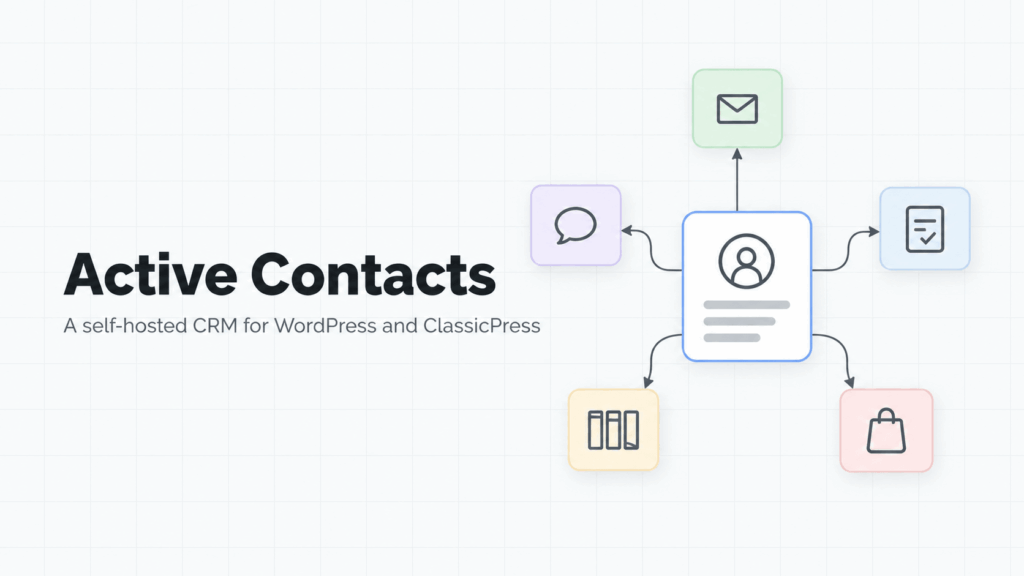
Active Contacts
PRO
3.4.0 | €79.00
Active Contacts keeps every enquiry from your website in one place, shows you who has been answered and who has not, and sends the follow-up you keep meaning to send. -
LazyClone – Copy a WordPress Site Without FTP
PRO
0.1.1 | €29.00
Your whole site, in one file, moved from your dashboard -
Lighthouse – WordPress Performance & Speed Optimization Plugin
PRO
5.1.6 | €39.00
Find out why your WordPress site is slow, then fix it. -
Active Analytics – Privacy-Friendly WordPress Analytics Plugin
PRO
3.1.5 | €39.00
See what visitors actually do, without Google Analytics. -
ImagePress – WordPress Image Gallery & Community Photo Plugin
PRO
9.3.0 | €34.00
Let people upload, organize, and show their work. -
eCards – WordPress eCard Plugin with Email Designer
PRO
5.7.0 | €19.00
Send eCards to all your friends -
Repeater for Gravity Forms – Repeater Field Add-on
PRO
2.2.5 | €29.00
Repeater for Gravity Forms helps you create repeatable field groups quickly, capture cleaner data, and ship better form UX without rebuilding the same custom logic every project. -
Fixtures & Results – WordPress Sports League & GAA Club Plugin
PRO
3.8.1 | €49.00
Record, display and search football (soccer), hurling, camogie and handball matches -
Saturn
PRO
3.0.1 | €49.00
Saturn is a fast, lightweight WordPress theme, fully enhanced for the native Block Editor and fully compatible with hundreds of block patterns. -
WP Google Consent Platform (GCP)
PRO
1.0.7 | €19.00
WP GCP — A WordPress plugin for Google Consent Mode v2
Free WordPress Plugins
-
WP Guardian – Security Hardening Checklist & Lightweight Firewall
FREE
2.1.0
Downloaded 6,040 times -
Admin Menu Tree Page View
FREE
2.8.11
Downloaded 393,582 times -
Block for Font Awesome Icons – Searchable Icon Picker, SVG, FA 7
FREE
1.8.0
Downloaded 40,369 times -
Playlist Player for YouTube – Fast, Privacy-Friendly Playlists & Channel Feed
FREE
4.9.0
Downloaded 74,931 times -
W3P SEO – Lightweight SEO, Schema & AI Search Toolkit
FREE
2.2.0
Downloaded 19,298 times -
eCards Lite – Christmas, Birthday & Thank-You E-Cards
FREE
4.4.0
Downloaded 11,927 times -
Modern Design Library
FREE
1.2.2
Downloaded 6,289 times -
ImagePress – Front-End Photo Uploads & Member Galleries
FREE
1.4.0
Downloaded 24,919 times -
Metro Tabs – Vertical, Responsive & Linkable Tabs Block
FREE
1.2.0
Downloaded 3,113 times
🌟🌟🌟🌟🌟
Rated highly by WordPress users
Lightweight WordPress plugins for performance, analytics, galleries and forms
“This author is wonderful. He is always making this program better, and he informs me when he does, so that I can update my copy. He is careful and thoughtful, and I love that he listens to my requests. He is not like other authors who abandon their product or move it to another host where you can’t find it and you are left with a broken, old version (as fast as things change.) I love this program and look forward to the tweeks and changes that are made to enhance it’s usability and make it stand out above all the rest.
I am one of your devoted and grateful cheerleaders! Thank you for making this plugin better and better!!!”
“Absolutely delighted with this plugin. I was initially getting nowhere with it, but suddenly it all clicked and I was able to configure and style my site exactly the way I wanted it. There was a feature which I couldn’t implement, but when I contacted the developer, he produced a new version of the plugin within hours, including the feature I’d requested.
I’m very impressed by the commitment of Ciprian to keep developing this plugin further. It does exactly what I need and I’m confident that if I encounter any problems, they’ll be resolved quickly.
It’s a pity that I can’t give more than 5 stars.”
“Installed this plugin on a charity’s website at https://www.ectopic.org.uk/get-involved/ecard/ and it’s working nicely. There are a few PHP errors, which I’ll notify the author of separately, but nothing that causes a problem.
Features are pretty much what I’d expect. Glad it’s not overloaded with settings.
It does seems improved, compared to an earlier version I tested a year or two ago.
It’s a really important tool for us, because last Christmas we made ~£600 from donations by people clicking a link in e-cards. This year we’re aiming for over £1,000.”
“Tough to pick just 1 main reason for the rating. The features of this plugin are excellent and the developers are super responsive and helpful. Within 6 months they:
– Implemented a feature request I suggested
– Helped debug multiple functionality issues that cropped up
– Spent a lot of time making things right
Highly recommend this plugin to anyone who is in need of image gallery functionality.
I used this to create an application that allows members to sign up and create and manage their own user galleries.”
“This is the best gallery with user profile integration, without a doubt. Dozens of features that with a bit of own code could make any website unique! I like the plugin and I still haven’t found another as complete as this one, it’s very well tought and it has a lot more space for improvement to turn it into even a more powerful gallery! 5*
As for the support, it’s the main reason a leave my 5 star rating. Top Customer Support.
Thank You.”
“An amazing product with an AMAZING Customer Support level! I cannot fault the product at all! Does exactly what it says on the tin! Whenever i have had a query or even advice Ciprian at butterflymedia has always been incredibly professional and has now become my goto guy for all things WordPress! You will not be disappointed with the purchase of this product! feb free to have a look at my site to see it in action! www.serigraphs.co.uk”
“We had been looking for a plugin with this functionality for a while until we found this one. The plugin is of great quality and is very well documented, thus a pleasure to work with. But what really stands out is the customer support. We had some kinks that needed to be worked out and the author of the plugin was very helpful and went above and beyond to make sure we were happy with the plugin!
Easy 5/5”
“This is the most awesome plugin I have used in a long time. My site funeral.com incorporated this into the site to allow users to send eCards to the bereaved. It’s Perfect, well thought out and works perfectly.
Highly recommended and worth every penny. One can sell their eCards also which at this time we are experimenting with the free version. Chris B Funeral.com”
“This plug works fantastic and is very easy to use, but the real reason for my 5 star rating is the authors super-fast, extremely helpful customer service! As a web developer, I deal with a lot of different products, and his customer service is amongst the best I’ve experienced.
Job well done!”
“we are so pleased with this product, and the support from butterflymedia as been over the top. We will recommend buying from butterflymedia anytime.
When you have payed for your product, the response and help you get via mail is really a 5 star support.”
“The customer support I’m receiving as i type this is phenomenal, and literally the best, most thorough and helpful I’ve ever experienced. Chip has spent several hours with me personally, helping me with issues. Seriously the best ive ever experienced.”
“This plugin is so simple to use. I couldn’t be happier with the support, though. The implementation on my designer portfolio site is totally seamless, elegant, and professional looking. And that is on every responsive device. Thanks, Ciprian!”
“Great E-Card Plugin, couldn’t find better online.
Amazing support, Immediately after flagging my problem new version was released with fixed issue!!!
Prompt reply, understanding, support, what else a customer can ask for!!!!”
“Thanks to this plugin I was able to create an aerial photo community website in no-time. I encountered some bugs and minor issues during the setup process but the support by the developer was excellent. 5 stars!”
“Just bought it. I was only looking for the number of visitors but it gives so much more. It shows the number of unique visitors, the pages they’ve visited, and more.
It’s pretty easy to use. Plug-n-play!”
“Increased my speed by 100%, to increase even more use in combination with other plugins (w3) and learn about js minify, use cdn and and img size reducer plugin and you will have excellent results.”
“I use the plugin on serveral websites. I had a problem and the maker has solved it within 24 hours, with a new version. Great response.
Software works great and service response is exceptional.”
“Very good cache and compression! (other options are great, too!) I combined this with WP Speed of Light and get a great performance by this. Hope you keep on the great work! ❤”
“An excellent plugin and the customer support is superb. Any question I have had has been answered promptly and completely. Very happy!”
“Excellent ecard wp plugin, simple to setup and reliable.
The author seems to use he’s own plugin, so it receives frequent updates.”
“Some difficulty setting this up and could be a little more clarified in the documentation. It is a pretty good software though.”
“Basically, a good idea and a advantage for visitors. Only theusability for the Admin is a not usual and takes a lot of patience.”
“simple easy,
But it miss :
-first home page loading,
-and a qualifying draw
-a search itm with team, cathegory”
“Great plug-in. Does just what I need and support from the developer has been outstanding so far!”
“Makes a huge difference. Reduced number of queries and increased speed by over 20%”
“Definitely what I have been looking feature rich and so far responsive support”
“It will be perfect if it is documented or adapted for easy POST forms.”
“It runs quickly and has a beauty design. Really modern and beautiful.”
“our site would not be possible without this plugin!
Thanks Chip.”
“Perfect customer service.
Improvement of the web page.”
“Very useful plugin. Simple and easy to use.”
“Congratulations, very good plugin!”
“very smart & useful
A must to have”
“Perfect support and fine plugin.”
“Great support from the author.”
“Awesome, a must have!”

Find the right solution for you
Quickly and easily build incredible websites with my WordPress and WooCommerce plugins.
My commitment to excellence means that you can rely on plugins that not only meet your current needs but also grow with you as your site evolves. Say goodbye to bloated, sluggish add-ons and hello to clean, efficient tools that empower your website.
Every plugin I create is built with precision, ensuring maximum compatibility and performance across all platforms.
Browse my collection of WordPress tutorials, how-to’s, and code snippets.

Detailed documentation
My searchable knowledge base contains everything you need. And if it doesn’t, I’ll add it!
Industry-leading support
I’m here to help.
I am always on hand if you get stuck, require guidance or have a question.
All my plugins are compatible with WordPress 5+, WordPress 6+, WordPress 7+, ClassicPress, PHP 7+, PHP 8+, and receive automatic lifetime updates.
Frequently Asked Questions
Which getButterfly plugin should I start with?
Lighthouse for speed and security, Active Analytics for cookieless statistics, WP GCP for Consent Mode v2, Active Contacts for enquiries, ImagePress for galleries, Fixtures & Results for clubs.
How much do premium plugins cost?
From €19 to €79 per year, VAT included, depending on the plugin.
What does a licence include?
Lifetime updates and one year of support from the developer. Renew to keep support active.
What are the requirements?
WordPress 6.2+ and PHP 8+ for current premium versions.
Is there a bundle?
Yes, a bundle that includes every getButterfly plugin is available. (Add the price and link once the bundle page is live.)
What happens if I don’t renew?
The plugin keeps working and continues to receive updates. Only support stops until you renew.
Can I cancel?
Yes, annual subscriptions can be cancelled at any time.
More WordPress Plugins
More WordPress plugins, articles, tutorials, updated or not, useful or not, opinionated or not.
Also read a short history of my WordPress plugins.
Gravity Forms Repeater
A custom repeater plugin. May require some fixes and updates.
#WordPress #plugin #GitHub
Gravity Forms Date/Time Picker
Hook into a single text field and use a JavaScript time picker plugin. Easy, lightweight and extendable.
#WordPress #plugin #GitHub

WooCommerce Grid/List View
WooCommerce Grid/List View is a simple plugin which adds a grid/list view toggle button to your product archives, allowing users to toggle between grid and list views of your products on your WooCommerce store.
#WordPress #WooCommerce #plugin
Mingle Forums & Discussion Board
Build and grow your community with our scalable and customizable WordPress forum plugin.
#WordPress #plugin #GitHub
WP Send
WP Send is the simplest way to send your files around the world. Share large files with configurable filesizes and expiry dates. Powered by WordPress!
#WordPress #plugin #GitHub
Foundry
Foundry is a WordPress property plugin with Daft and Acquaint CRM import capabilities.
Foundry is fully supported long-term, and it receives regular security and feature updates. Foundry works with almost any theme, however it has been built to take advantage of Saturn theme’s features.
#WordPress #plugin
WooCommerce Currency Switcher
WooCommerce Currency Switcher is a WooCommerce plugin that allows you to set fixed prices for products in different currencies, rather than using automatic currency conversion.
#WordPress #WooCommerce #plugin
Bulk Discount for WooCommerce
Bulk Discount for WooCommerce is a powerful plugin and marketing tool designed to help you run sitewide sales with ease. Perfect for major shopping events like Black Friday, Christmas, clearance sales, store anniversaries, or any special occasion, this plugin ensures seamless discounts across your WooCommerce store.
#WordPress #WooCommerce #plugin
W3P Admin Login
W3P Admin Login is an easy-to-use WordPress and ClassicPress plugin that allows you to safely change your website’s admin login URL to anything you want.
The plugin’s simple two-step process ensures the safety of your WordPress or ClassicPress admin login URL within seconds, and all of this without any coding.
#WordPress #plugin
WooCommerce Conditional Blocks
WooCommerce Conditional Blocks allows you to display additional or alternate content based on a set of rules and conditions, including current users’ role, product categories, product tags, prices, cart contents, and many, many more.
#WordPress #WooCommerce #plugin
WP Charity
WP Charity is the best WordPress Donation Plugin.
Raise more money for your cause with the most powerful WordPress donation and fundraising plugin. Trusted by over 10,000+ organizations.
#WordPress #WooCommerce #plugin
Metro Mortgage Calculator
A modern UI mortgage calculator with email functions, multiple themes, results template and easy integration. It calculates standard mortgage payment, mortgage rate based on payment and term, and APR based on payment, term, and fees paid.
#WordPress #plugin
vote5 – Advanced WordPress Voting Plugin
The vote5 plugin allows users to vote on posts and administrators to manage votes, ban/unban IP addresses and search/filter votes. The plugin log displays a paginated table with attached posts, IPs, and time of vote. The administrator is able to modify votes and see which posts have been modified. All votes are stored as custom values.
#WordPress #plugin